MacEwan Sport

Overview
From a hard-to-use website to an app in your pocket.
For this project, I turned the MacEwan Sport & Wellness booking website into an Android app. I researched how students book fitness classes, redesigned the booking journey for mobile, and finished with a clickable prototype built with Google’s Material 3 Design Kit.
Tools - Figma · FigJam · Material 3 Design Kit
Contribution | Category | Team | Timeline |
UX research User interviews Wireframing Mockups Prototyping | Android app | 2 designers (me) | 1 month |
Scope
One website, one booking journey, one mobile app.
The goal was to adapt the existing website into a mobile-first app without overcomplicating it. I focused on a beginner-friendly booking experience: browsing drop-in classes, adding them to a cart, and confirming a booking. The project covered research, task and user flows, wireframes, critiques, mockups and a prototype. Backend systems and payments were outside the scope.
Problem & Stakes
There was no app, and the website made booking harder than working out.
MacEwan had no mobile app, so students had to book through a website built for desktop. On a phone it was slow, text was tiny, and booking took too many steps. Students also had no reminders, no beginner guidance and no clear place to start. Many universities face the same problem: booking sport activities is complicated and time-consuming.
There was nothing to improve, so I had to translate a web-based system into a mobile experience from scratch.
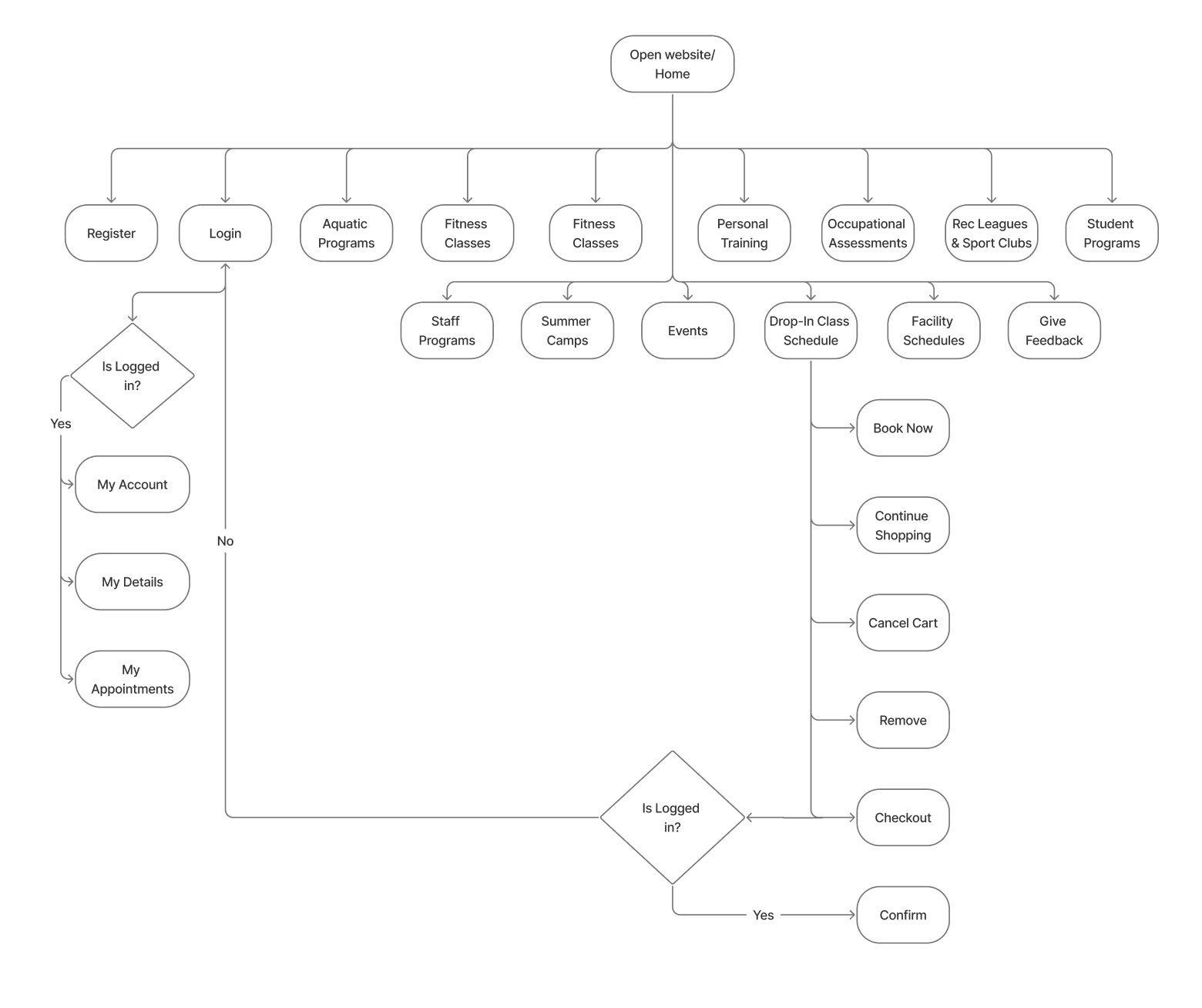
The existing flow needed many steps, from logging in and scrolling through unfiltered class lists to confirming a booking by hand. I had to simplify it without removing features.
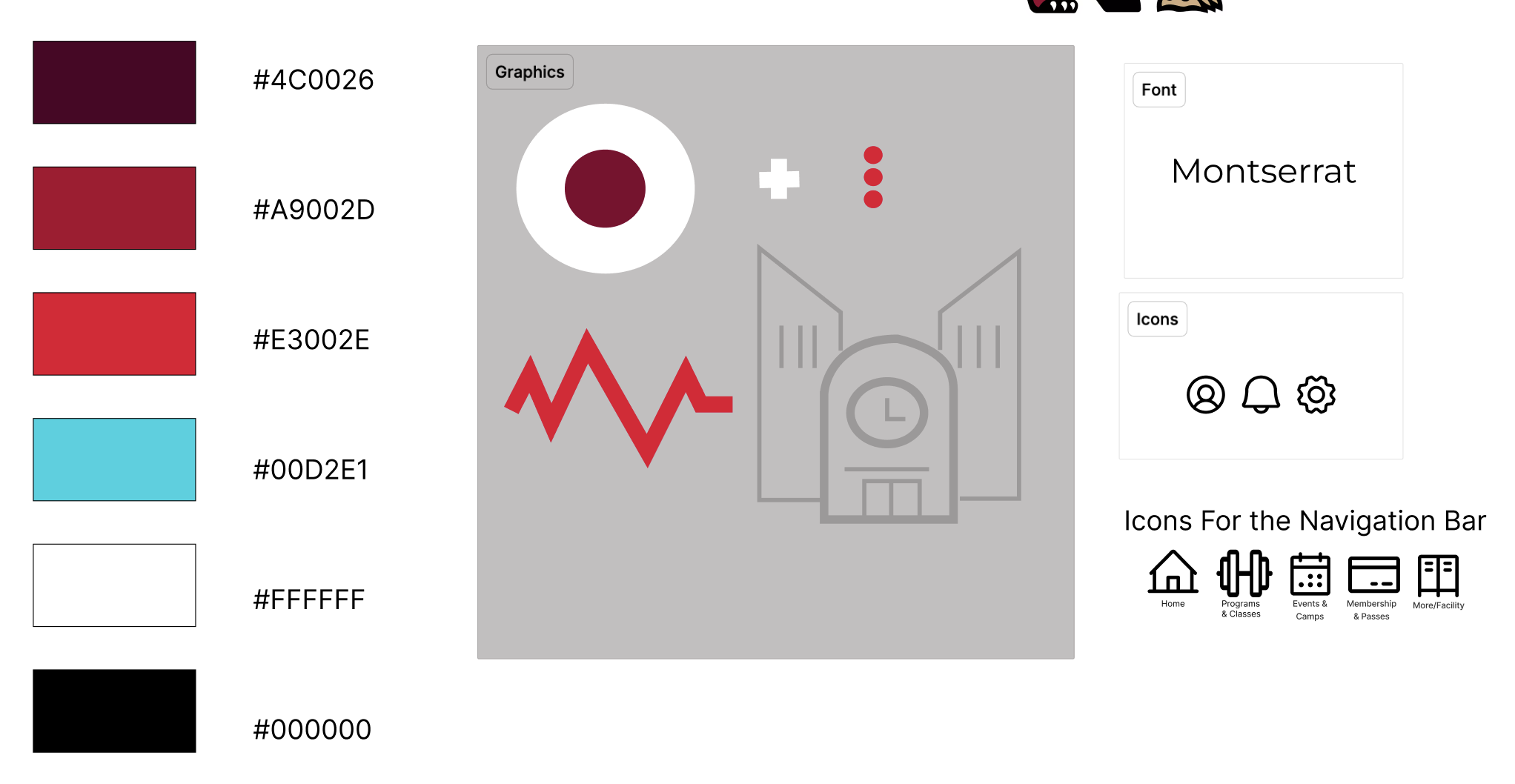
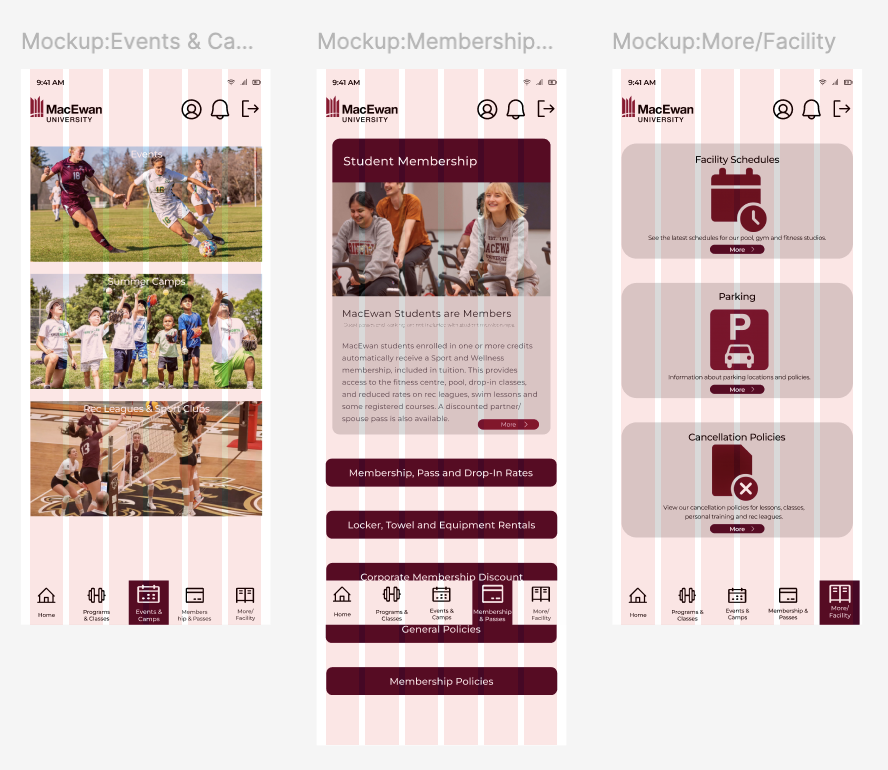
The app had to feel like part of MacEwan’s identity, with its maroon palette and Montserrat type, while following Android’s Material 3 design standards.
Students who can’t book quickly miss classes and drift away from staying active. A better app helps more people use the facilities MacEwan already offers.
Strategy & Decision
Start with how students book, then make it simple.
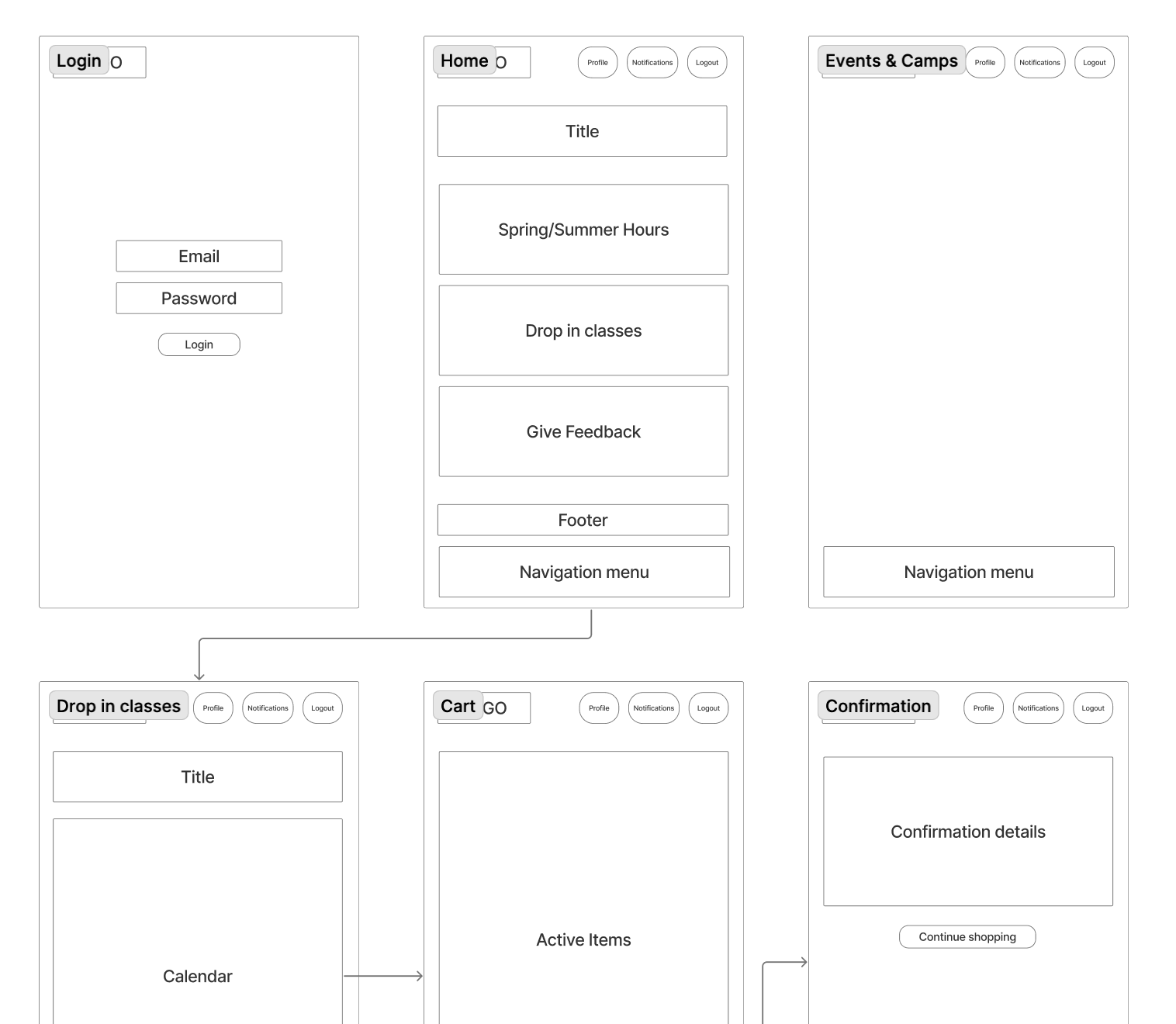
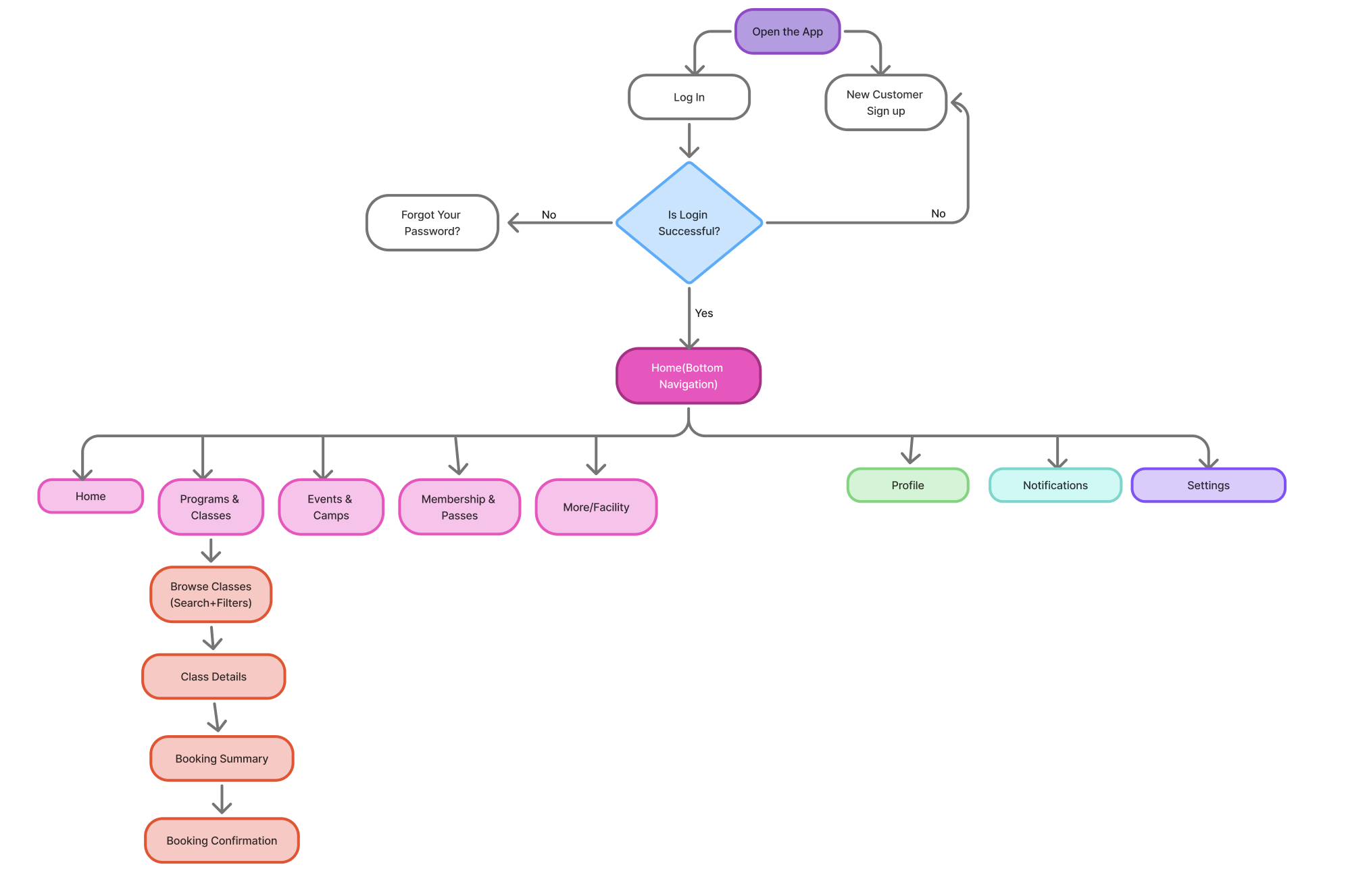
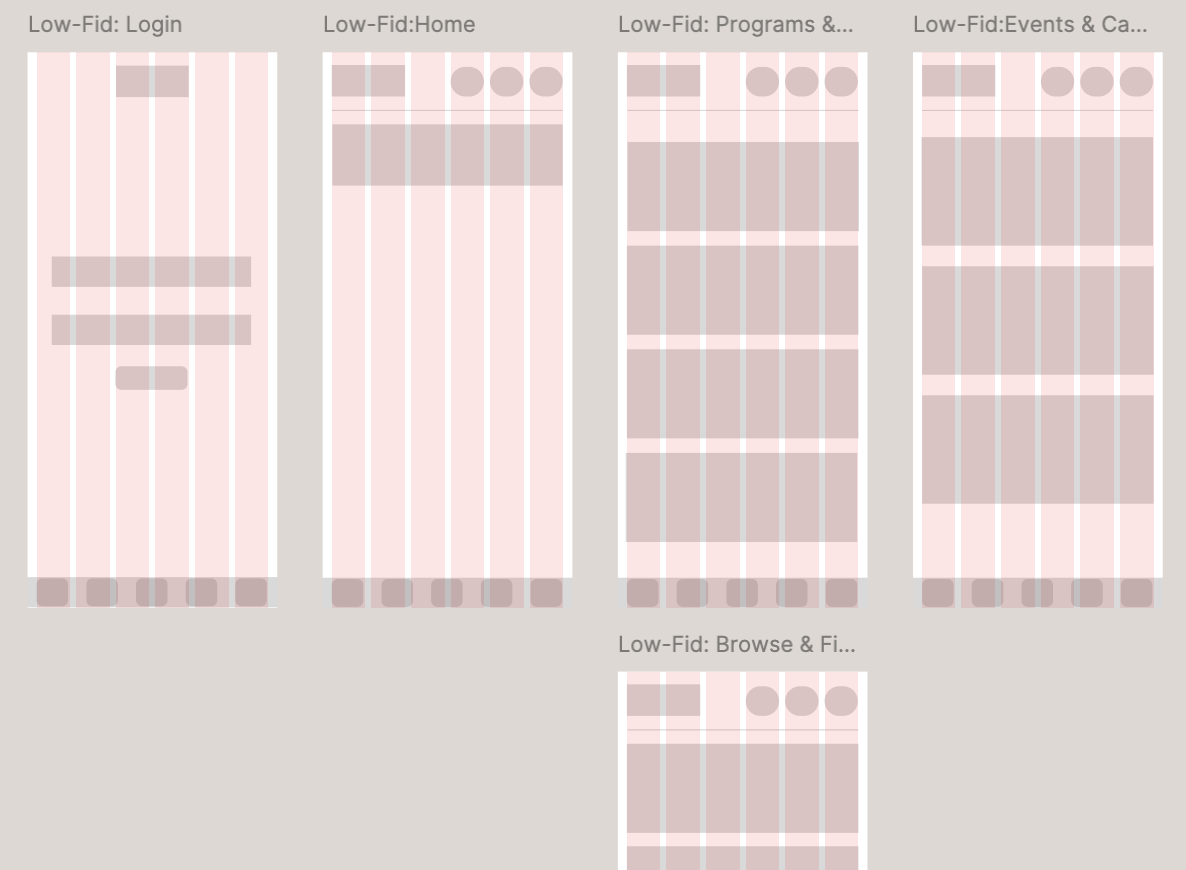
I began by reviewing the existing website and comparing it with fitness apps such as ClassPass, Mindbody and Nike Training Club, which showed clean layouts and beginner-friendly navigation. Interviews and a user statement helped me create two student personas, Jayden and Leena, and an empathy map showing what students say, think, do and feel. Students were frustrated with the slow website and afraid of missing class spots, and they wanted reminders and faster booking. I mapped the old booking journey on the website, then redesigned it as a shorter flow for the app: log in, browse drop-in classes in a calendar, add to cart, check out and confirm. From sketches I built wireframes, and critiques helped me improve the flow, with several rounds of changes where needed. I finished with polished mockups and a clickable prototype using the Material 3 Design Kit, a bottom navigation bar for easy one-handed use, and MacEwan’s maroon colors and Montserrat font.
Design Process
Old
Methods
Website review, Comparative analysis, User interviews and user statement
Personas, Empathy map
Sketching, Old task flow and user flow (website), Redesigned task flow and user flow (app)
Low- to high-fidelity wireframes, Design critiques, Iteration, Mockups, Clickable prototype, Material 3 Design Kit
Reflection
Good mobile design is mostly about taking things away.
This project taught me that the best way to help beginners is to remove steps, not add features. Mapping the old and new flows side by side showed me exactly where students got stuck, and I could see the booking journey get shorter. Working with a UI kit like Material 3 also showed me how design rules help an app feel familiar to Android users. If I continued this project, I’d test the prototype with real MacEwan students and add the features they asked for, like push reminders, open-spot alerts and progress tracking.